

radu
- May 24, 2026
- |
- Mobile App Dev
The Mobile Dilemma: Responsive Web vs. True Native Performance
Almost every business recognizes that mobile devices drive the vast majority of their digital traffic. For years, the standard remedy was simple: make your website responsive. Ensure that grid layouts stack vertically, navigation links scale down for touch controls, and images shrink appropriately for smaller screens.
However, mobile responsiveness is no longer a competitive advantage—it is a baseline requirement. As user expectations rise, a responsive mobile website frequently drops the ball where it matters most: deep user engagement, friction-free checkout loops, retention metrics, and complex user interactions.
If your digital strategy depends completely on a mobile browser tab, you are missing out on an entirely closed ecosystem of user attention. Users want hardware integration, instant tactile interfaces, offline processing capabilities, and timely push notifications that bring them back to your platform.
Mobile Web Wrapper (Hybrid/WebView):
[ Hardware Layer ] ---> [ Browser Subsystem ] ---> [ JavaScript & DOM Engine ] ---> App Layout (Slow/Laggy)

True Cross-Platform Native (React Native/Flutter):
[ Hardware Layer ] <================ Bridge Logic ================> UI Components (Instant/60FPS)
Many brands attempt to cut corners by utilizing cheap web wrappers—turning their existing website into a hybrid application. These frameworks pull your mobile site into an app-like shell called a WebView. The result is almost always a laggy, unresponsive, and unpolished experience that gets downvoted on the App Store.
To win on mobile, you need an application that speaks directly to the underlying hardware. By tapping into your website’s existing backend structures and building a true cross-platform mobile app, you can enter the mobile application market without maintaining completely separate databases.
The Unified Architecture: One Database, Multiple Frontends
The primary reason businesses avoid mobile application development is the fear of redundant workflows. The thought of managing one product database for a website, an entirely separate inventory system for an iOS app, and a third interface for Android sounds like an administrative nightmare.
But using modern software architecture, you don’t have to duplicate anything. If your central backend infrastructure is configured correctly—ideally via a clean API layer—it doesn’t care whether the client reading the data is a desktop browser or a phone screen.
                  ┌───> [ Next.js Web Frontend ] ───> Desktop/Laptop Users
                  │
[ Central CMS / ] ├───> [ React Native Engine ] ────> App Store (iOS Native)
[ Commerce API  ] │
                  └───> [ Android Native Module ] ──> Google Play (Android Native)
By leveraging modern cross-platform development frameworks like React Native or Flutter, developers can write a single, clean codebase that compiles directly into native engine code for both Apple iOS and Android devices.
This framework connects directly to your existing website’s content architecture or e-commerce engine using secure REST or GraphQL APIs. When your team updates a product description, posts an article, or modifies pricing inside your central administration portal, those updates sync instantly across your desktop web framework and your active mobile apps.
Performance Engineering: The Native Core Advantages
When your application bypasses mobile browser engines and runs directly on native system UI components, the user experience dramatically transforms.
| Feature Attribute | Responsive Web App | Native iOS / Android Mobile App |
| Interface Rendering | Max 30–45 FPS (Browser throttled) | Silky smooth 60–120 FPS (Hardware accelerated) |
| Offline Capability | Extremely limited cache fallback | Full offline database functionality & sync |
| User Re-engagement | Fragile email campaigns | Direct, high-converting Push Notifications |
| Hardware Access | Strictly sandboxed via browser | Biometrics, Camera, Bluetooth, GPS, & Apple Pay |
1. Fluid User Interface Performance
Native components are hardware-accelerated directly by the phone’s graphics chip. Micro-interactions, page transitions, slide-out navigation panels, and list scrolling feel instantaneous and register touch events at 120Hz. This completely removes the invisible friction that causes users to drop out of web sales funnels.
2. Native Payment Gateways (Single-Tap Purchases)
Cart abandonment skyrockets on mobile devices when users are forced to manually type out their credit card numbers, billing details, and shipping addresses into tiny form fields. Native apps integrate directly with system-level checkouts like Apple Pay and Google Pay. Users authorize transactions securely using FaceID or biometric fingerprint scanning, wrapping up the checkout process in under three seconds.
3. Direct Engagement via Push Notifications
Email open rates continue to decline across almost all consumer sectors. Push notifications bypass cluttered mailboxes entirely, landing directly on your user’s lock screen. Whether you are running flash sales, distributing localized shipping status updates, or dripping content drops, push notifications give you an un-throttled marketing line to your community.
Security & Compliance on Mobile Ecosystems
Building for mobile app storefronts introduces rigid security protocols that make your applications significantly more resilient to data breaches than standard web layers:
-
Sandboxed Frameworks: Mobile operating systems isolate apps into independent containers. A vulnerability inside another application cannot breach your app’s data or memory allocation.
-
Encrypted Token Storage: User authentication details are protected using cryptographic hardware storage layers, like iOS Keychain Services. This eliminates cookie hijacking risks and session theft vulnerabilities.
-
App Store Review Verification: Before your application goes live on the Apple App Store or Google Play Store, it undergoes comprehensive manual and automated audits to ensure the source code is safe, clean, and strictly matches global user privacy criteria.
Step-by-Step Blueprint: Moving from Web to App Store
Converting your active web presence into an installed mobile asset follows a structured roadmap designed to keep workflows efficient:
Step 1: API Endpoint Mapping
We inspect your website’s current database logic to verify that all necessary assets (user accounts, shopping carts, articles, media) are accessible through clean JSON feeds. If your site is already headless, this step is nearly complete.
Step 2: UI/UX Mobile Refinement
A phone screen requires unique design layouts. We map out mobile-specific paths, prioritizing thumb-friendly zones, bottom tab navigations, and swipe interactions that match real-world user habits.
Step 3: Native Compilation & Integration
Using React Native, we frame your custom workspace and wire it into native device features (biometrics, secure storage, notification services). We then configure the bridge code so the interface communicates perfectly with your core API database.
Step 4: Submission and Store Lifecycle Management
We guide your brand through creating official Developer Accounts with Apple and Google, compile production-ready distribution builds, frame your store description pages with targeted search visuals, and manage the approval lifecycle.
Frequently Asked Questions
If I change something on my website, do I need to update the app?
No. Because the app reads data live from your website’s database APIs, any updates to products, text, images, or files show up inside the user’s mobile app immediately. You only need to push an App Store update when adding new device features, like upgrading biometric touch tools or changing the main navigation menu structure.
How much extra work is it to manage an app alongside my website?
Virtually zero. Your administrative team stays inside their familiar backend environment. The mobile application acts like a mirror that pulls content from the exact same source as your website frontend, keeping your daily updates unified.
Can users access their existing accounts inside the new app?
Yes. Your backend system handles authorization centrally. If a user registers an account on your desktop website, they use those exact same login credentials to access their profile, order histories, and payment settings inside your mobile app.
The Native Mobile Milestone
Sticking with a responsive desktop site forces your mobile traffic through browser limitations, directly depressing your retention metrics. Building native mobile storefronts on top of your existing database gives you total hardware access, instant payment loops, and an ongoing home on your customer’s device.
Let’s review your active web database layout, outline your key mobile feature goals, and design a custom app build tailored directly for your brand.
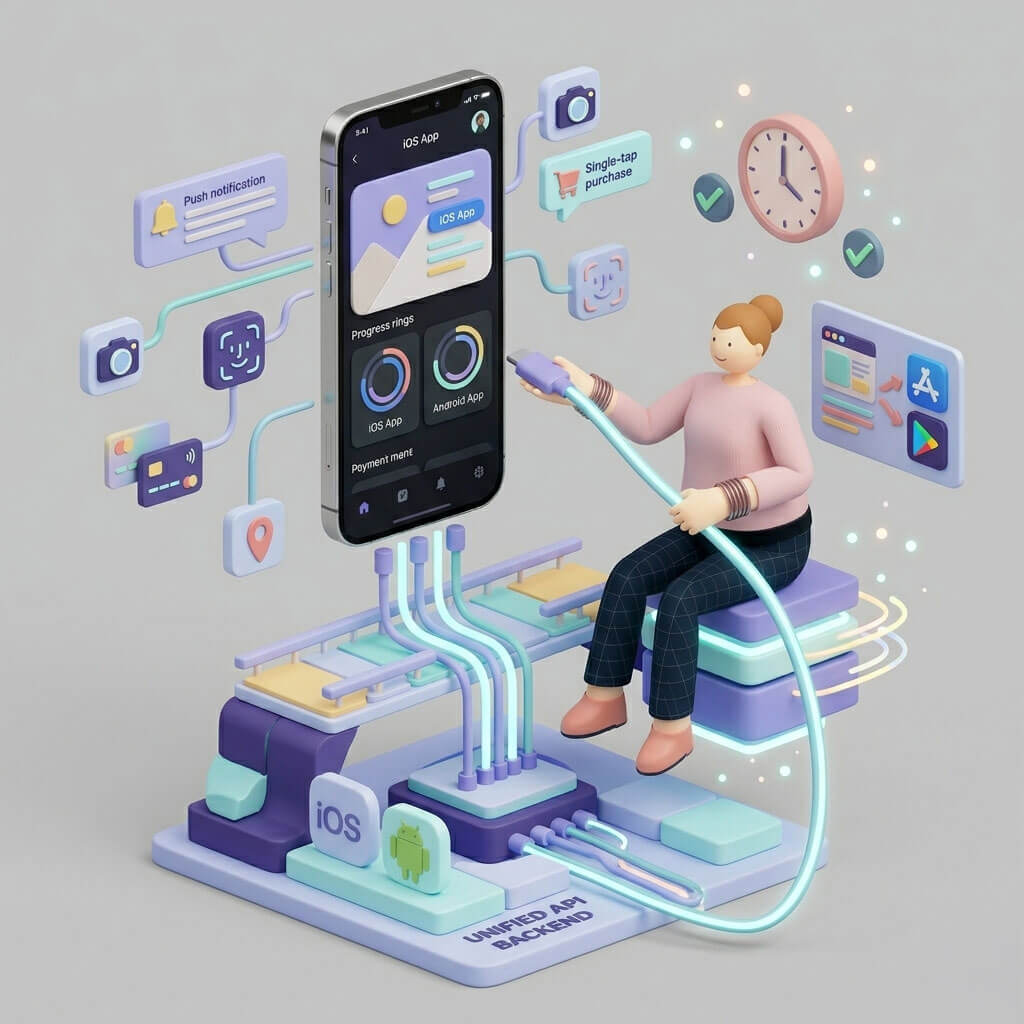
Mobile Architecture Illustration
Here is a unique, standalone 3D illustration built specifically for this article. It showcases a modern, high-fidelity mobile device hovering over a solid foundation block, surrounded by native operating system nodes, fluid interface widgets, and floating engagement elements—visually emphasizing true native mobile engineering.